Slack AI Bot with AWS Bedrock Part 2
In part one of this blog, we set up Slack events to connect to AWS Bedrock, but we did not have a conversation system, so any message sent to the LLM Model was a brand-new message. In this part, we...

Mahmood
2024-07-26

In part one of this blog, we set up Slack events to connect to AWS Bedrock, but we did not have a conversation system, so any message sent to the LLM Model was a brand-new message. In this part, we will fix that so the LLM has your previous message and the message it gives you.
To get started, please follow part one of this blog as a prerequisite to get things going. In Slack, the following is how your event subscriptions should look. We have added Channel History to allow us to get the conversation history from Slack.
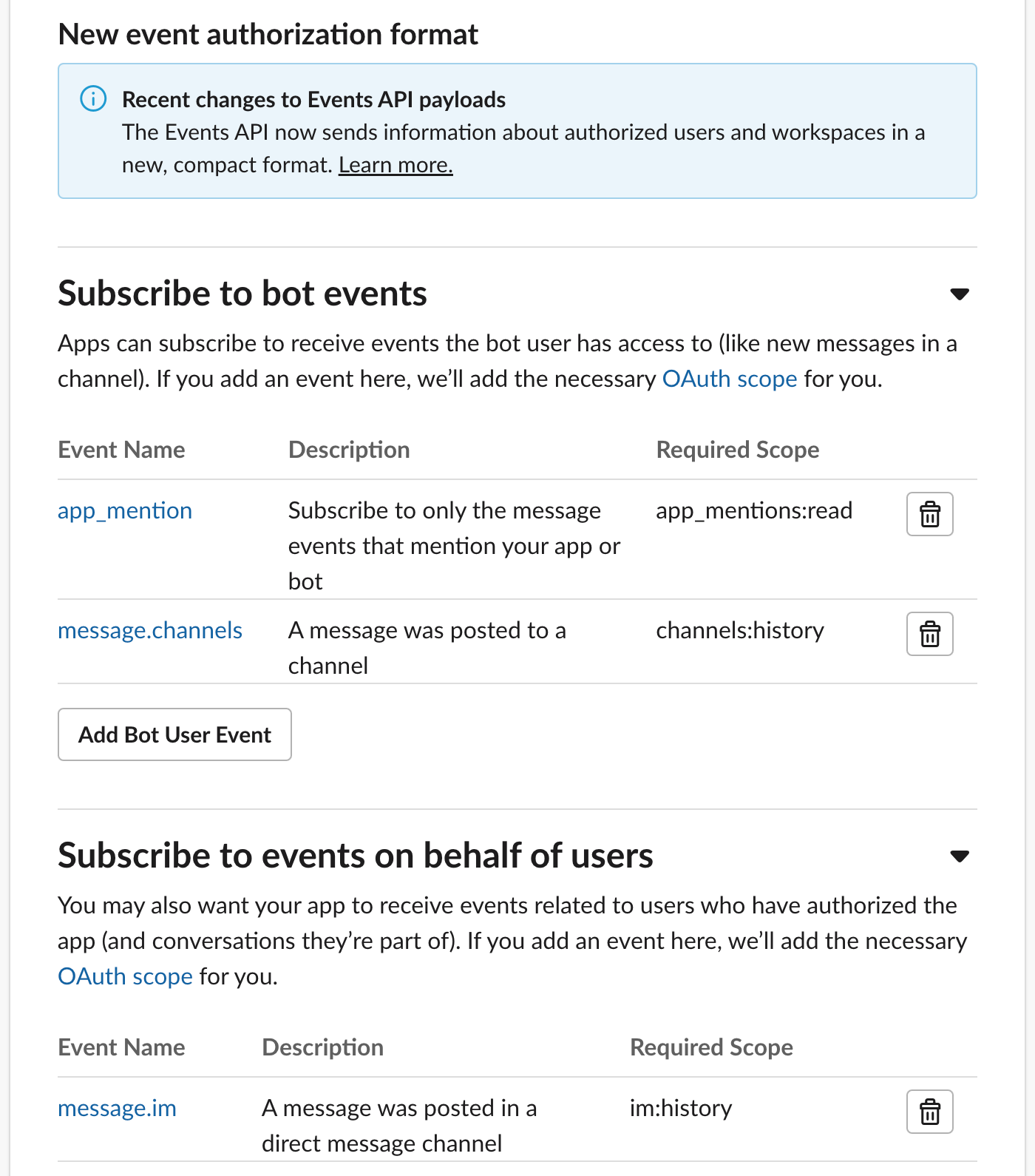
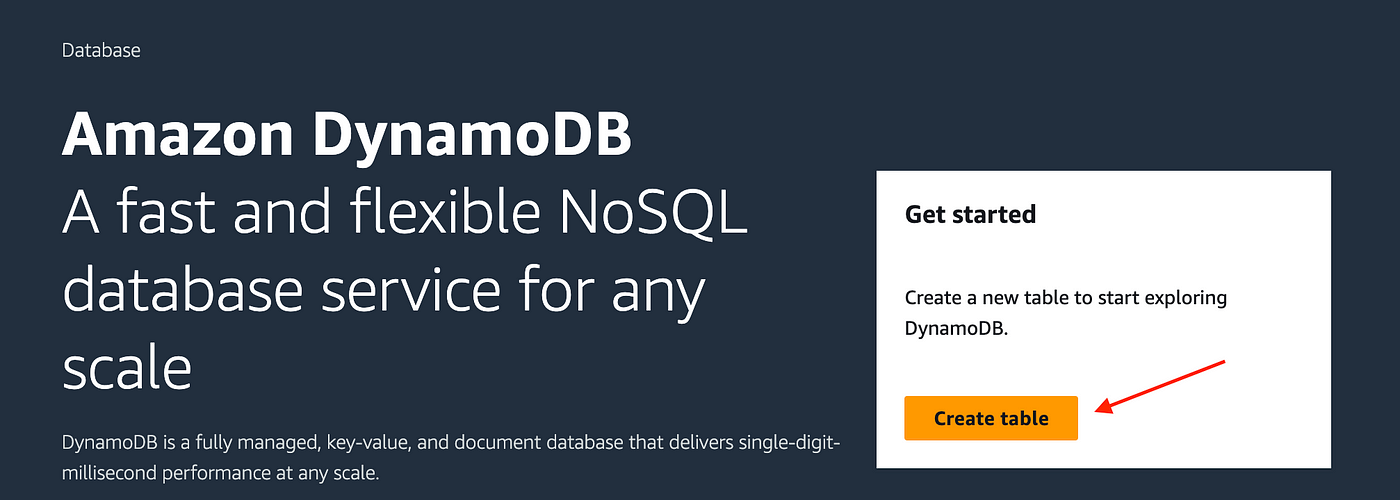
We also need to create an AWS DynamoDB to cache the last message sent by the user to ensure we are handling retries and duplicate requests. We will only have one record in the database. We also need to ensure we set up DynamoDB in the transactional mode so that reads and writes are consistent. Let's set the DynamoDB table.
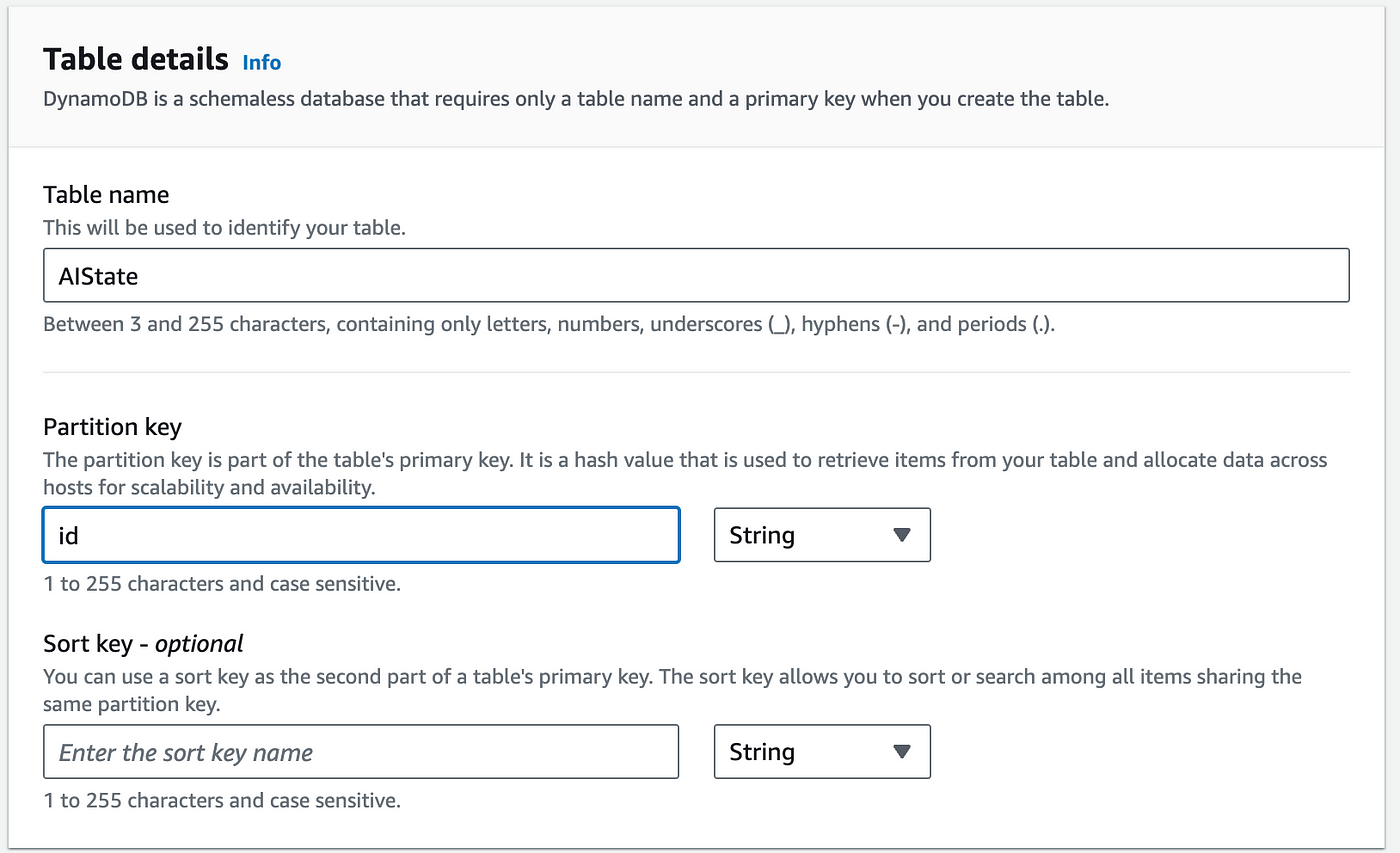
Give your table a name and set the partition key as id.
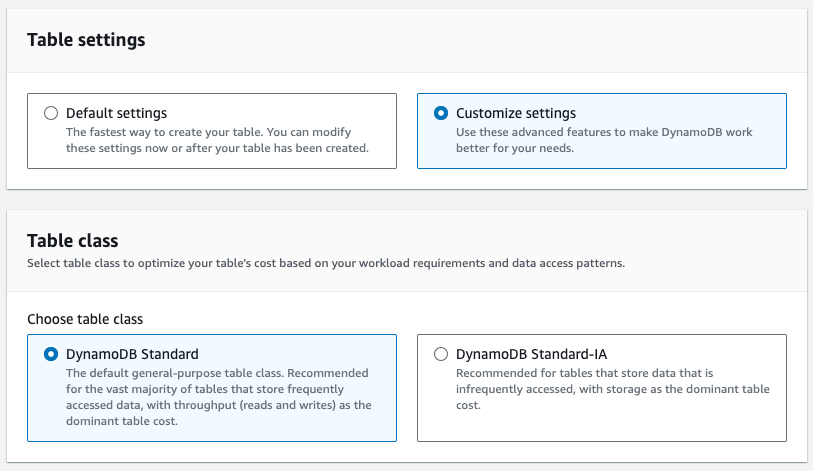
Pick customized settings and DynamoDB standard.
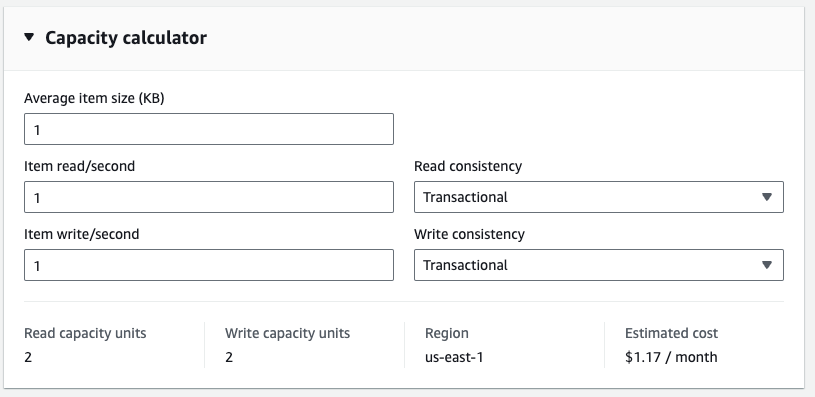
We will not need more than one read or write per second, so make sure you set the consistency to Transactional.
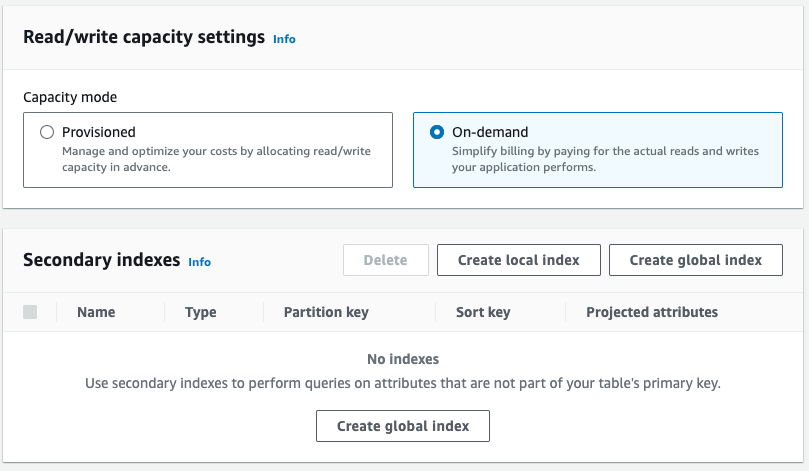
I will go with On-Demand, but you can set up provisioning. I recommend On-Demand as we don't know the workload demands.
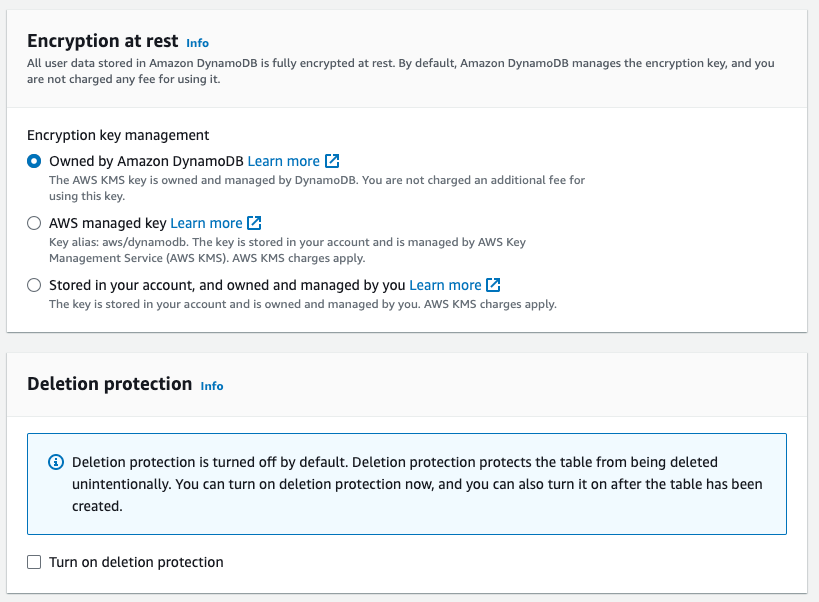
Always enable encryption even when we are not storing anything sensitive. Turn on deletion protection if doing this in production.
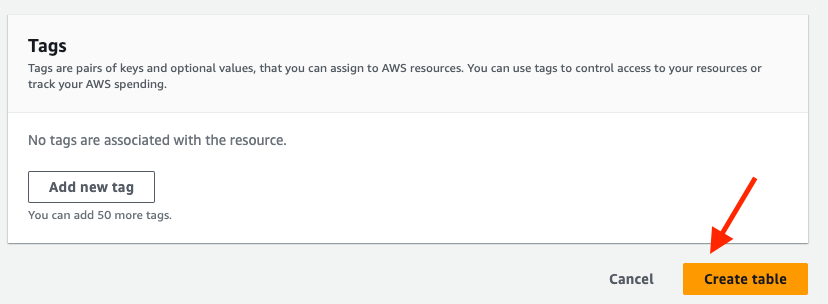
Add any tags needed and click Create Table.
Now, we need to update the code in our lambda function. This is an improved version of the code, but you might need to adjust it more to fit what you are doing. Note: We have switched from AI21 Labs Jurassic-2 Ultra to Anthropic Claude V2.1 as it is more powerful. To access Anthropic Claude, you must submit a use case, which could be using the model for education purposes.
import json
import boto3
import urllib3
import hashlib
import os
import re


bedrock = boto3.client(service_name='bedrock-runtime')
dynamodb = boto3.resource('dynamodb')
table = dynamodb.Table('AIState')
id = "123e4567-e89b-12d3-a456-426614174000"
slackUrl = 'https://slack.com/api/chat.postMessage'
SlackChatHistoryUrl = 'https://slack.com/api/conversations.replies'
slackToken = os.environ.get('token')

http = urllib3.PoolManager()

def call_bedrock(msg):
    body = json.dumps({
        "prompt": '\n'.join(msg),
        "max_tokens_to_sample": 300,
        "temperature": 0.1,
        "top_p": 0.9,
    })

    response = bedrock.invoke_model(body=body, modelId='anthropic.claude-v2:1', accept='application/json', contentType='application/json')
    response_body = json.loads(response.get('body').read())

    return response_body.get('completion').replace('\nAssistantt: ','')

def hash_message(message):
    msg_bytes = message.encode('utf-8')
    sha1 = hashlib.sha1(msg_bytes)
    hex_digest = sha1.hexdigest()

    return hex_digest

def get_message():
    response = table.get_item(Key={'id': id})
    if 'Item' in response and 'message' in response['Item']:
        return response['Item']['message']
    return None

def set_message(message):
    table.update_item(
        Key={'id': id},
        UpdateExpression="SET message = :value",
        ExpressionAttributeValues={':value': hash_message(message)}
    )

def lambda_handler(event, context):
    headers = {
        'Authorization': f'Bearer {slackToken}',
        'Content-Type': 'application/json',
    }
    slackBody = json.loads(event['body'])
    print(json.dumps(slackBody))
    slackText = slackBody.get('event').get('text')
    slackUser = slackBody.get('event').get('user')
    channel =  slackBody.get('event').get('channel')
    thread_ts = slackBody.get('event').get('thread_ts')
    ts = slackBody.get('event').get('ts')
    eventType = slackBody.get('event').get('type')
    subtype = slackBody.get('event').get('subtype')
    bot_id = slackBody.get('event').get('bot_id')
    is_last_message_from_bot = False
    bedrockMsg = []

    if eventType == 'message' and bot_id is None and subtype is None and thread_ts is not None:
        if get_message() != hash_message(slackText):
            set_message(slackText)
            # We got a new message in the thread lets pull from history
            historyResp = http.request('GET', f"{SlackChatHistoryUrl}?channel={channel}&ts={thread_ts}", headers=headers)
            messages = historyResp.json().get('messages')
            for message in messages:
                cleanMsg = re.sub(r'<@.*?>', '', message.get('text'))
                bot_profile = message.get('bot_profile')
                if bot_profile is None:
                    bedrockMsg.append(f'Human: {cleanMsg}')
                    is_last_message_from_bot = False
                else:
                    bedrockMsg.append(f'\n\nAssistant: {cleanMsg}')
                    is_last_message_from_bot = True
            bedrockMsg.append('\n\nAssistant:') # Message must always end with \n\nAssistant:

            if not is_last_message_from_bot: # Do not respond if the last message was a response
                msg = call_bedrock(bedrockMsg)
                data = {'channel': channel, 'text': f"<@{slackUser}> {msg}", 'thread_ts': thread_ts}
                response = http.request('POST', slackUrl, headers=headers, body=json.dumps(data))
Mahmood
Engineer
Read More
View all posts
AI/ML
Why Enterprise AI Must Be Application-Led, Not Agent-Led
A deep dive by Todd Bernson, CTO and Chief AI Officer, on why enterprise AI systems should be architected as application-led, deterministic platforms with embedded agentic AI—not fully autonomous agents. This article explains how API-first, governed, multi-channel architectures deliver higher reliability, compliance, scalability, and business value in real-world Fortune-500 environments.

Todd Bernson
2025-12-02

AI/ML
Application-First Agentic AI
Application-first agentic AI is emerging as the only reliable path to real enterprise ROI. In this in-depth analysis, Todd Bernson, CTO & CAIO, breaks down why most generative AI initiatives stall in production—and how disciplined enterprise architecture, deterministic workflows, and narrowly scoped AI agents can finally unlock repeatable business value. Using a real sprint-intelligence system as a case study, the article shows how organizations can combine serverless engineering, structured orchestration, and constrained LLM reasoning to reduce reporting effort, increase trust, eliminate hallucinations, and deliver actionable insights across engineering, operations, compliance, and customer experience.
Todd Bernson
2025-11-28

AI/ML
Why 95% of AI Projects Fail and How to Be Among the 5% That Succeed

Lee Hylton
2025-08-22