Implementing Continuous Deployment (CD) with Azure DevOps
Learn how to set up a Continuous Deployment (CD) pipeline using Azure DevOps, automating the entire application deployment process. This guide by Todd Bernson, CTO, walks you through defining stages, configuring deployment tasks, setting up triggers, and managing approvals for seamless and secure CD. By integrating CD with your CI pipeline, your team can deliver software updates quickly and reliably while ensuring compliance and security. Reduce time-to-market and deliver value continuously with Azure DevOps.

Todd Bernson
2024-10-15

CD is a crucial practice in modern software development that extends the principles of Continuous Integration (CI) to automate application deployment. By implementing CD, teams can ensure that every change that passes automated tests is automatically deployed to production. This article will guide you through setting up a CD pipeline using Azure DevOps, enabling your team to deliver software updates quickly and reliably.
Introduction to Continuous Deployment
Continuous Deployment automatically deploys every code change that passes the CI pipeline directly to production. CD automates the entire process, allowing for rapid delivery of new features and bug fixes. This approach reduces time-to-market and minimizes the risk of human error in the deployment process.
Setting Up a CD Pipeline in Azure DevOps
I will add stages to my current CI Azure pipeline to implement continuous deployment. This pipeline will automate the deployment of your application to various environments, such as staging and production.
Define Stages
A release pipeline consists of multiple stages representing different environments (e.g., staging, production). Define these stages based on your deployment strategy.
Configure Deployment Tasks
For each stage, specify the tasks required to deploy your application. These might include copying files, running scripts, or configuring services.
Set Up Triggers
You can configure triggers so the release pipeline runs automatically after a successful build in the CI pipeline. This ensures that only tested code is deployed.
Manage Approvals and Gates
While CD aims for full automation, you can still configure approvals and gates for critical stages if needed. This provides an additional layer of control over deployments.
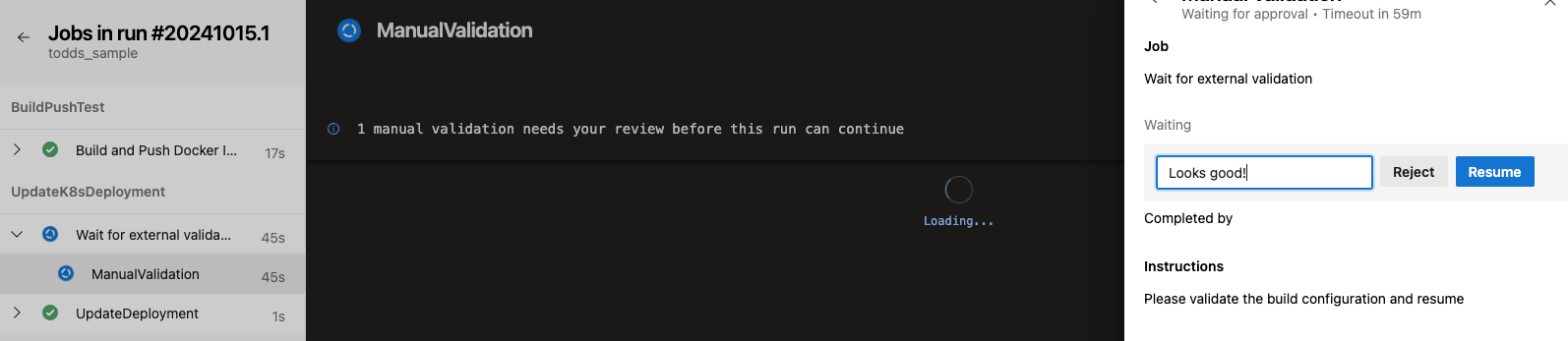
Managing Environments and Releases
Effective environment management is key to successful Continuous Deployment:
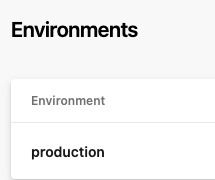
- Define Environments: Clearly define each environment (e.g., development, testing, staging, production) and configure them within Azure DevOps.
Variable Groups: Use variable groups to manage configuration settings across different environments. This allows for consistent deployments while accommodating environment-specific differences.
Deployment Strategies: Implement deployment strategies such as blue-green deployments or canary releases to minimize downtime and reduce risk during updates.
Security and Compliance in CD
Incorporating security checks into your CD pipeline is essential for maintaining compliance and protecting sensitive data:
Security Scans: Integrate security scanning tools into your pipeline to identify vulnerabilities before deployment.
Compliance Checks: Incorporate compliance checks into your pipeline to ensure that your deployments adhere to organizational policies and regulatory requirements.
Implementing Continuous Deployment with Azure DevOps transforms how teams deliver software by automating the entire deployment process. By following this guide, you can set up a CD pipeline that reduces time-to-market while maintaining high quality and security standards. With CI/CD practices fully integrated into your workflow, your team is well-equipped to respond quickly to changing business needs and deliver value continuously.
Read More
View all posts
AI/ML
Why Enterprise AI Must Be Application-Led, Not Agent-Led
A deep dive by Todd Bernson, CTO and Chief AI Officer, on why enterprise AI systems should be architected as application-led, deterministic platforms with embedded agentic AI—not fully autonomous agents. This article explains how API-first, governed, multi-channel architectures deliver higher reliability, compliance, scalability, and business value in real-world Fortune-500 environments.
Todd Bernson
2025-12-02

AI/ML
Application-First Agentic AI
Application-first agentic AI is emerging as the only reliable path to real enterprise ROI. In this in-depth analysis, Todd Bernson, CTO & CAIO, breaks down why most generative AI initiatives stall in production—and how disciplined enterprise architecture, deterministic workflows, and narrowly scoped AI agents can finally unlock repeatable business value. Using a real sprint-intelligence system as a case study, the article shows how organizations can combine serverless engineering, structured orchestration, and constrained LLM reasoning to reduce reporting effort, increase trust, eliminate hallucinations, and deliver actionable insights across engineering, operations, compliance, and customer experience.
Todd Bernson
2025-11-28

AI/ML
Why 95% of AI Projects Fail and How to Be Among the 5% That Succeed

Lee Hylton
2025-08-22