GitHub Action Runners on AWS EKS
Today, I will show you how to use GitHub Action Runners on AWS EKS (Elastic Kubernetes Service). To make this work, we will need a few other components installed in the...

Mahmood
2024-07-02
Today, I will show you how to use GitHub Action Runners on AWS EKS (Elastic Kubernetes Service). To make this work, we will need a few other components installed in the cluster, such as:
- GitHub Actions Controller
- Karpenter: Just-in-time Nodes for EKS
I'm assuming you already have an existing EKS cluster, but if you don't, clone the simple-eks Terraform, I put together here: https://github.com/mahmoodr786/simple-eks. Do not use this terraform for production, as it creates the EKS as public and private. Although it only allows your Public IP, the recommendation is to keep your cluster private and access it using a VPN or Bastion. It also allows more IAM permissions than you need to get everything operational.
git clone https://github.com/mahmoodr786/simple-eks
cd simple-eks
terraform apply
This might take 10 to 15 minutes to complete. Once completed, you should see your cluster and the node group.

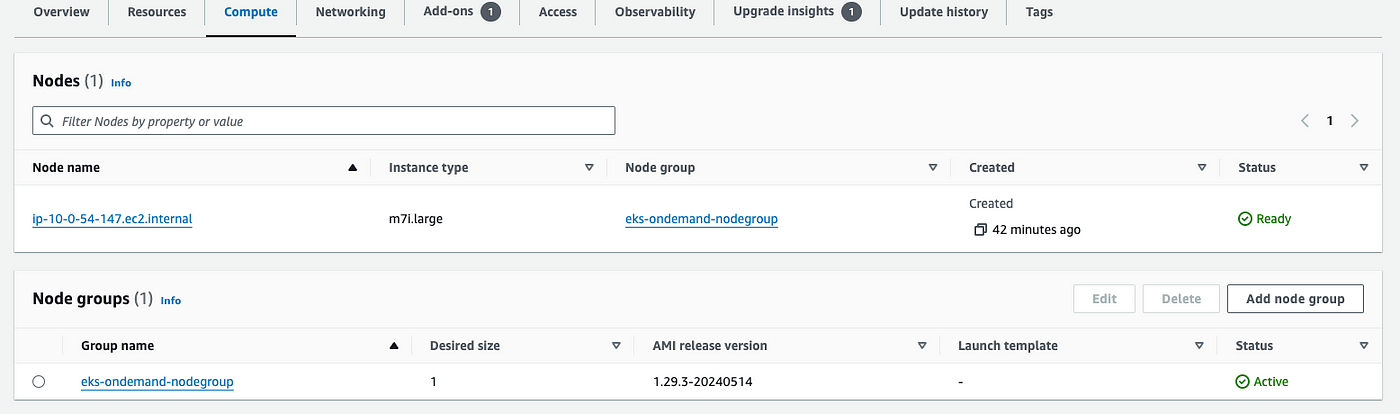
To access your cluster, you must get the Kube Config by running the following command.
aws eks update-kubeconfig --name simple-eks-cluster --region us-east-1
To confirm you can reach the cluster, run the following command:
kubectl get pods -A
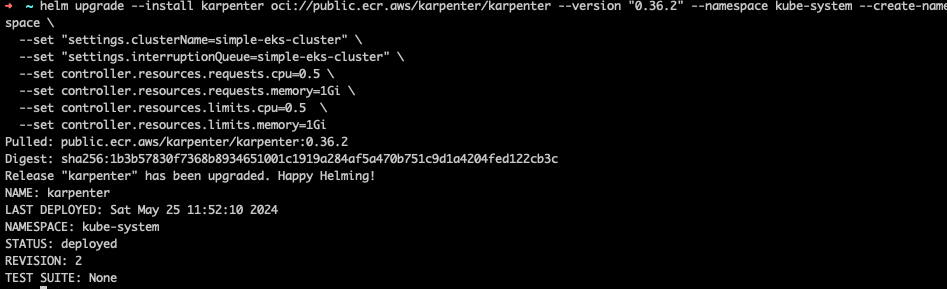
Now that we have the cluster ready let's deploy the two controllers we need using Helm. We will start with Karpenter.

helm registry logout public.ecr.aws

helm upgrade --install karpenter oci://public.ecr.aws/karpenter/karpenter --version "0.36.2" --namespace kube-system --create-namespace \
  --set "settings.clusterName=simple-eks-cluster" \
  --set controller.resources.requests.cpu=0.5 \
  --set controller.resources.requests.memory=1Gi \
  --set controller.resources.limits.cpu=0.5  \
  --set controller.resources.limits.memory=1Gi \
  --set controller.ttlSecondsAfterEmpty=300
Mahmood
Engineer
Read More
View all posts
AI/ML
Why Enterprise AI Must Be Application-Led, Not Agent-Led
A deep dive by Todd Bernson, CTO and Chief AI Officer, on why enterprise AI systems should be architected as application-led, deterministic platforms with embedded agentic AI—not fully autonomous agents. This article explains how API-first, governed, multi-channel architectures deliver higher reliability, compliance, scalability, and business value in real-world Fortune-500 environments.

Todd Bernson
2025-12-02

AI/ML
Application-First Agentic AI
Application-first agentic AI is emerging as the only reliable path to real enterprise ROI. In this in-depth analysis, Todd Bernson, CTO & CAIO, breaks down why most generative AI initiatives stall in production—and how disciplined enterprise architecture, deterministic workflows, and narrowly scoped AI agents can finally unlock repeatable business value. Using a real sprint-intelligence system as a case study, the article shows how organizations can combine serverless engineering, structured orchestration, and constrained LLM reasoning to reduce reporting effort, increase trust, eliminate hallucinations, and deliver actionable insights across engineering, operations, compliance, and customer experience.
Todd Bernson
2025-11-28

AI/ML
Why 95% of AI Projects Fail and How to Be Among the 5% That Succeed

Lee Hylton
2025-08-22